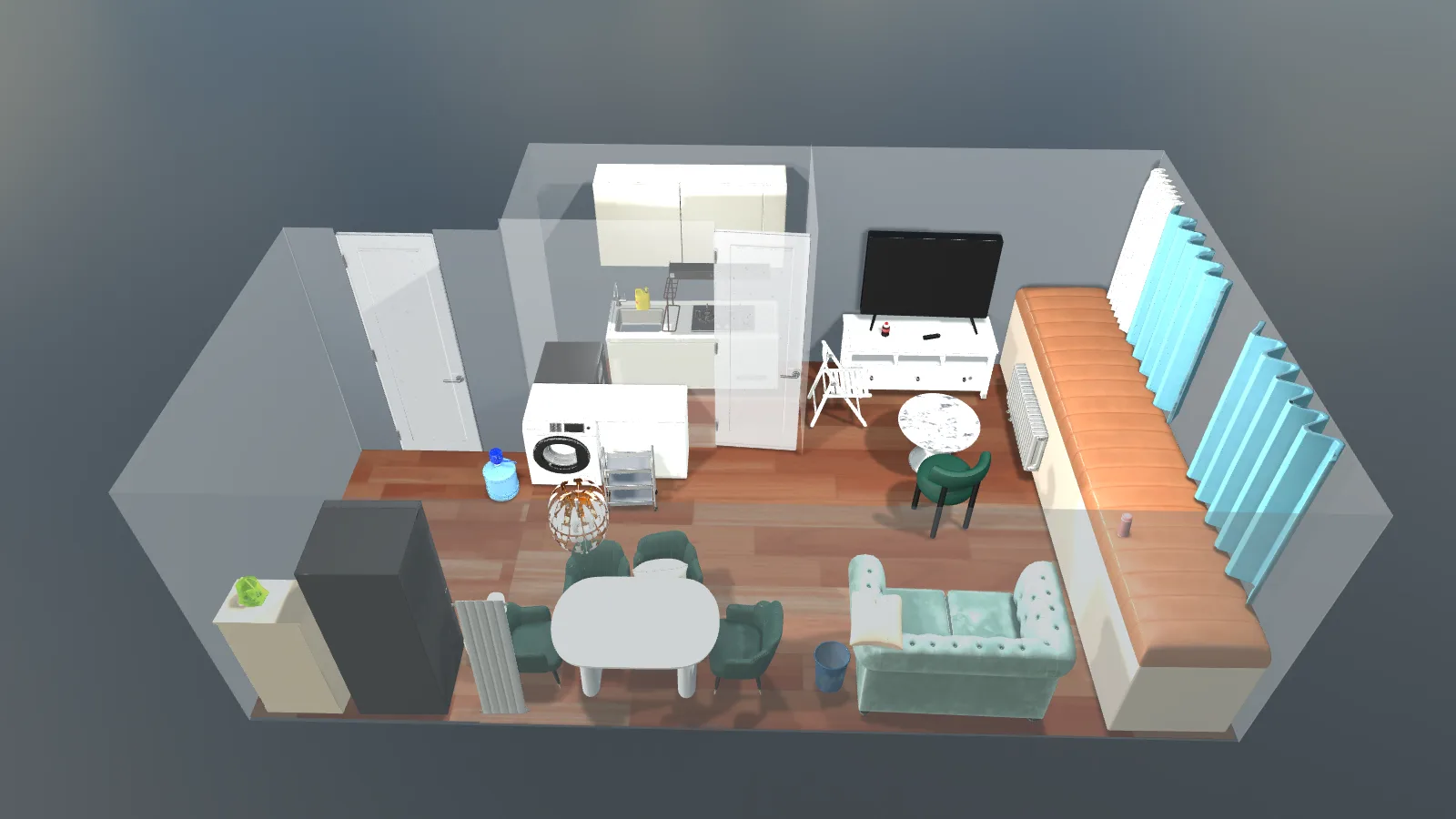
Lucida is a ByteDance Seed scene-modeling system. Instead of stopping at a fused point cloud, it recovers separate object assets and places them in the observed arrangement. The useful distinction is not just a different camera view: chairs, tables, and other objects remain individually editable.
What the scene reconstruction looks like
The official demonstration follows an indoor capture into a reconstructed scene. Objects are represented as separate meshes, rather than one inseparable scene surface. This makes the result relevant to digital twins, simulation, and scene editing.
From observed fragments to complete objects
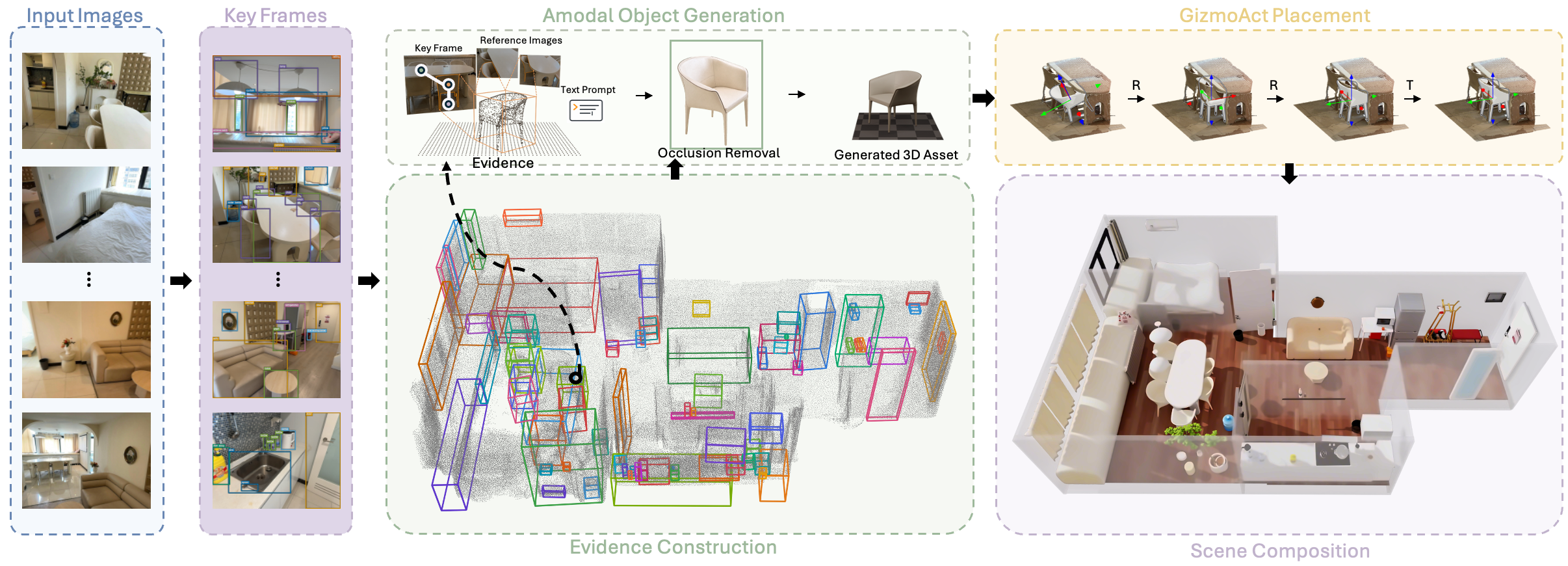
Lucida first selects informative views and associates the same object across them. Reference images, masks, partial point clouds, 3D boxes, and language cues form an evidence bundle for each instance.
The generation stage creates an unobstructed object image, then turns it into a complete 3D asset with occluded regions filled in.
GizmoAct: align the assets with the room
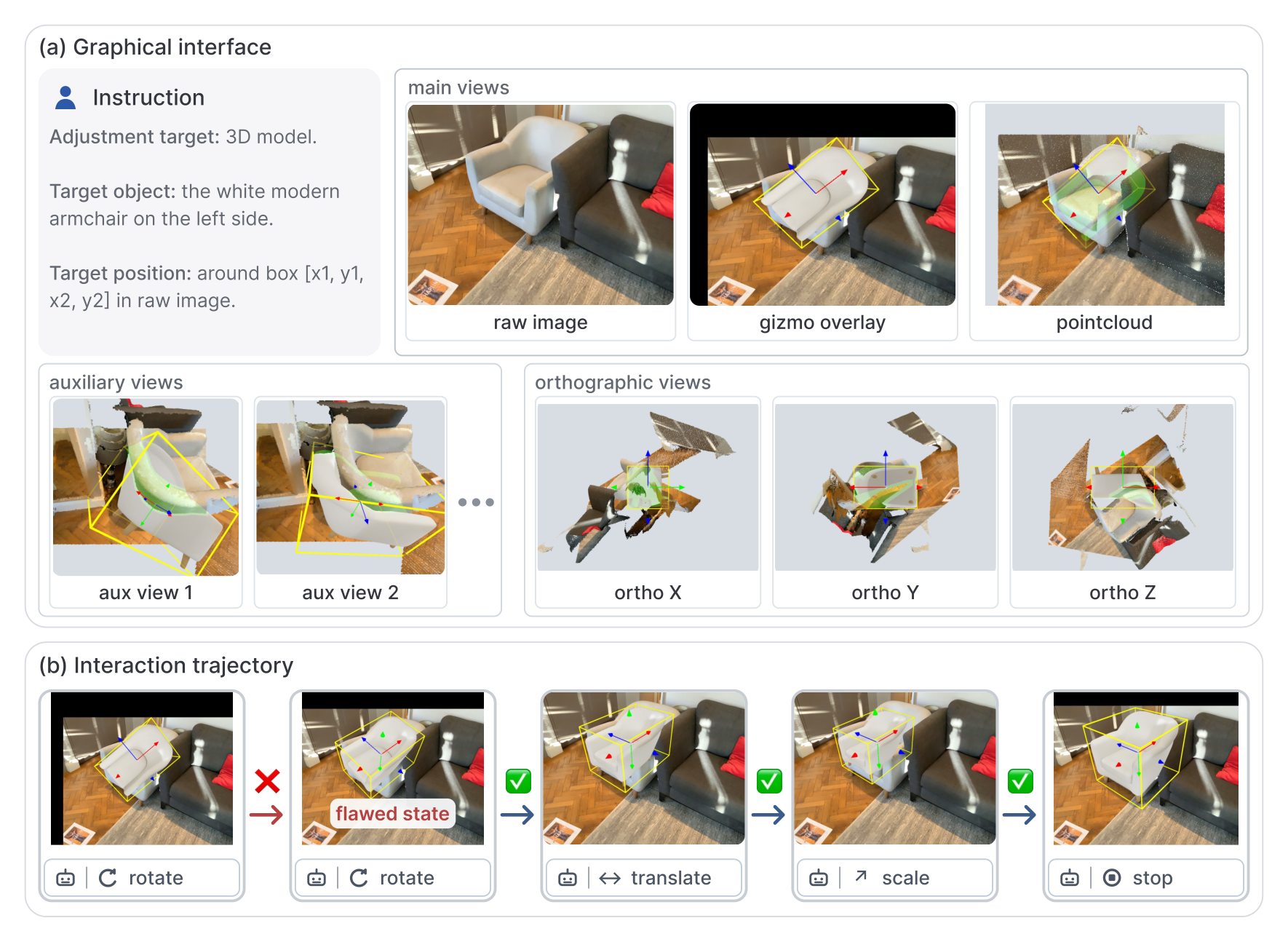
A plausible model can still be misplaced or rotated incorrectly. GizmoAct uses a vision-language model to inspect rendered views, point-cloud overlays, and local-axis observations, then issue executable pose edits.
The loop checks the new result against the captured scene. It separates creating an object from finding its correct placement, instead of relying on perfect geometry from every earlier stage.
When to use a scene workflow instead of an asset generator
For a room layout or real-to-sim environment, object identity, scale, and placement matter together. Separate assets let you inspect, replace, or reposition an object without rebuilding the entire scene.
For one product, prop, or character, image-to-3D is the shorter path. Start with a clear image of the subject; a full scene reconstruction pipeline adds little when the rest of the room is not needed.
Object-based scenes vs point-cloud reconstruction
| Need | Point-cloud reconstruction | Lucida |
|---|---|---|
| Representation | Observed surface samples | Separate, complete object assets |
| Occluded regions | Limited by captured observations | Inferred during object generation |
| Editing | Work on scene geometry or segmentation | Edit individual object meshes |
| Alignment | Camera and geometric registration | Closed-loop visual pose refinement |
Frequently asked questions
Is Lucida the same as Seed3D 2.0?
No. Lucida focuses on composing a real indoor scene from multiple observations. Seed3D 2.0 focuses on generating 3D assets. A scene workflow also needs object association, scale, and placement.
Are objects behind furniture recovered exactly?
Unseen geometry is generated from the available evidence. It can complete an asset, but it is not a measurement of surfaces that the camera never saw.
What input does Lucida use?
Lucida combines multiple posed observations of the same indoor scene. It associates objects across views, then builds per-object evidence from reference images, masks, partial point clouds, and 3D boxes.