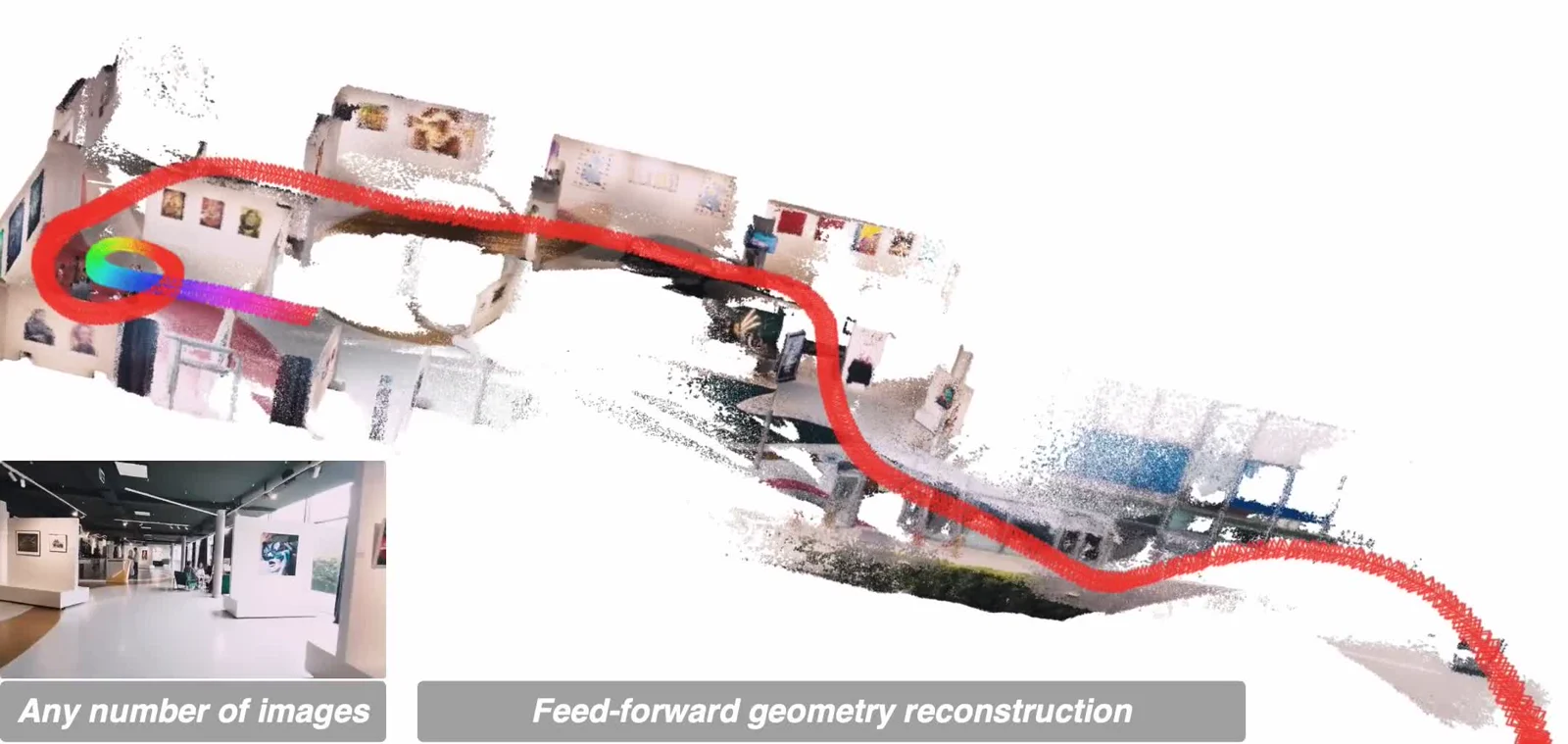
Developed by ByteDance Seed, DA3 estimates geometry across views in a common spatial frame. Its depth-ray representation supports both unknown cameras and pose-conditioned inputs, making it useful for scene capture, spatial analysis and novel-view rendering.
What DA3 reconstructs
A single image gives a depth estimate; several views add cross-view constraints and camera estimation. Video is processed as sampled frames, so the result connects observations rather than treating every frame as an unrelated depth map.
The outputs include depth, confidence, camera intrinsics and extrinsics. Models with a Gaussian head also predict 3D Gaussians for rendering new viewpoints. Choose the output around whether you need geometry data or a visual scene preview.
Choose the right checkpoint
The any-view family includes Small, Base, Large and Giant. DA3Mono-Large focuses on relative depth from one image, while DA3Metric-Large targets real-world scale. Nested Giant-Large combines any-view geometry with metric scaling.
Prefer the refreshed -1.1 checkpoints for Giant, Large and Nested where available. Gaussian output is supported by Giant and Nested, not every DA3 checkpoint. For long sequences, DA3-Streaming uses sliding windows to reduce memory pressure.
Run image or video reconstruction
Clone the repository and install the package in a PyTorch environment. The command below processes a folder of images with Nested 1.1 and exports numerical results plus a GLB scene. Model weights download from Hugging Face on first use.
For video, use da3 video path/to/video.mp4 with --fps to control frame sampling. Begin with fewer frames, inspect overlap and confidence, then increase coverage. A cached da3 backend avoids reloading the model for repeated jobs.
git clone https://github.com/ByteDance-Seed/Depth-Anything-3
cd Depth-Anything-3
pip install -e .

da3 auto path/to/images \
  --model-dir depth-anything/DA3NESTED-GIANT-LARGE-1.1 \
  --export-format mini_npz-glb \
  --export-dir output
Use the reconstruction downstream
The GLB exporter packages a colored point-cloud scene with optional camera wireframes; it is not automatically a clean, watertight object mesh. NPZ exports are more useful when another pipeline needs depth, confidence and camera arrays.
Gaussian PLY and rendered-view exports require a Gaussian-capable checkpoint and the corresponding dependencies. For editable, object-separated indoor assets, Lucida follows a different route: it reconstructs and places individual objects.
DA3, Depth Anything 2 or Lucida?
| Tool | Main input | Best suited to |
|---|---|---|
| Depth Anything 3 | One image, multiple views or video frames | Aligned depth, cameras and scene geometry; selected models add 3D Gaussians |
| Depth Anything 2 | A single image | Monocular depth estimation |
| Lucida | Posed indoor observations | Object-separated scene reconstruction and alignment |
Frequently asked questions
Does DA3 need known camera poses?
No. The any-view models can estimate cameras. Supplying calibrated poses enables pose-conditioned reconstruction when that information is available.
Does every model output depth in meters?
No. Nested outputs metric-scale depth. DA3Metric-Large needs focal-length scaling as described in the repository; relative-depth models do not directly supply meter-scale measurements.
Which DA3 models allow commercial use?
The published Base, Small, Metric-Large and Mono-Large checkpoints use Apache 2.0. Giant, Large and Nested use CC BY-NC 4.0. Check the license of the exact checkpoint before deploying it.